CareHrsHow it worksFAQSupportContact

Track every caregiving hour. See what’s left.

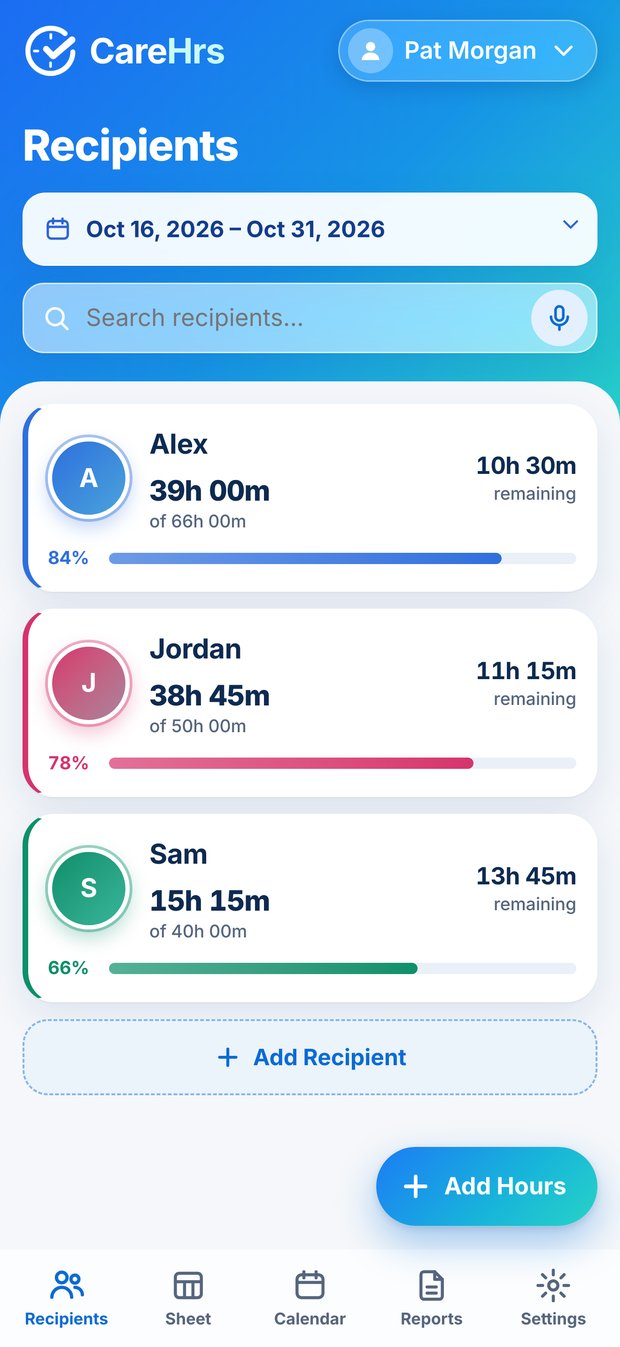
CareHrs keeps hours for every person you care for, split by pay period, so you always know what you worked and what you have left.
  • No account
  • Nothing leaves your phone
  • For iPhone and iPad, coming soon
CareHrs recipients with hours remaining
10h 30mleft for Alex
4h 30m“Monday, four hours thirty”
PDF readySave, print or share

Built around how caregivers actually work.

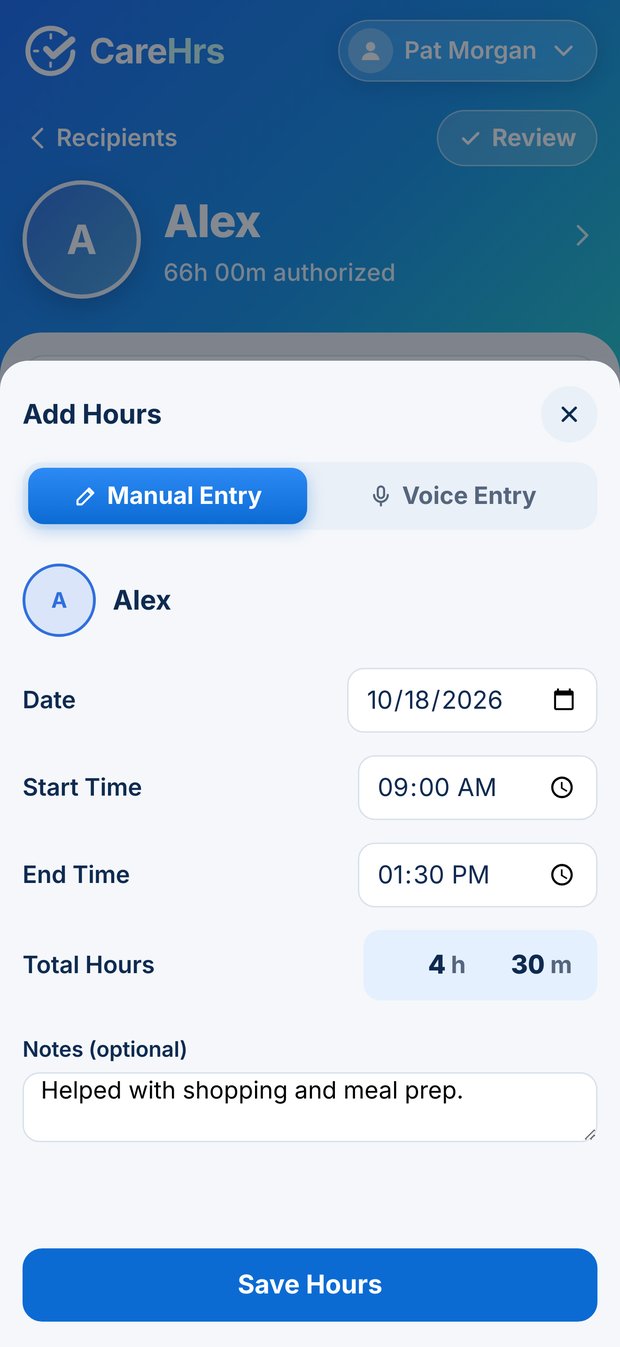
Add hours your way.

Type the hours and minutes for a day. Or enter a start and end time and CareHrs works out the hours for you.

  • Hours and minutes, never rounded
  • Add a note to any day
Add hours your way.

Or just say it.

Say “Monday, four hours thirty minutes.” CareHrs shows what it heard, and nothing is saved until you tap Confirm and Save.
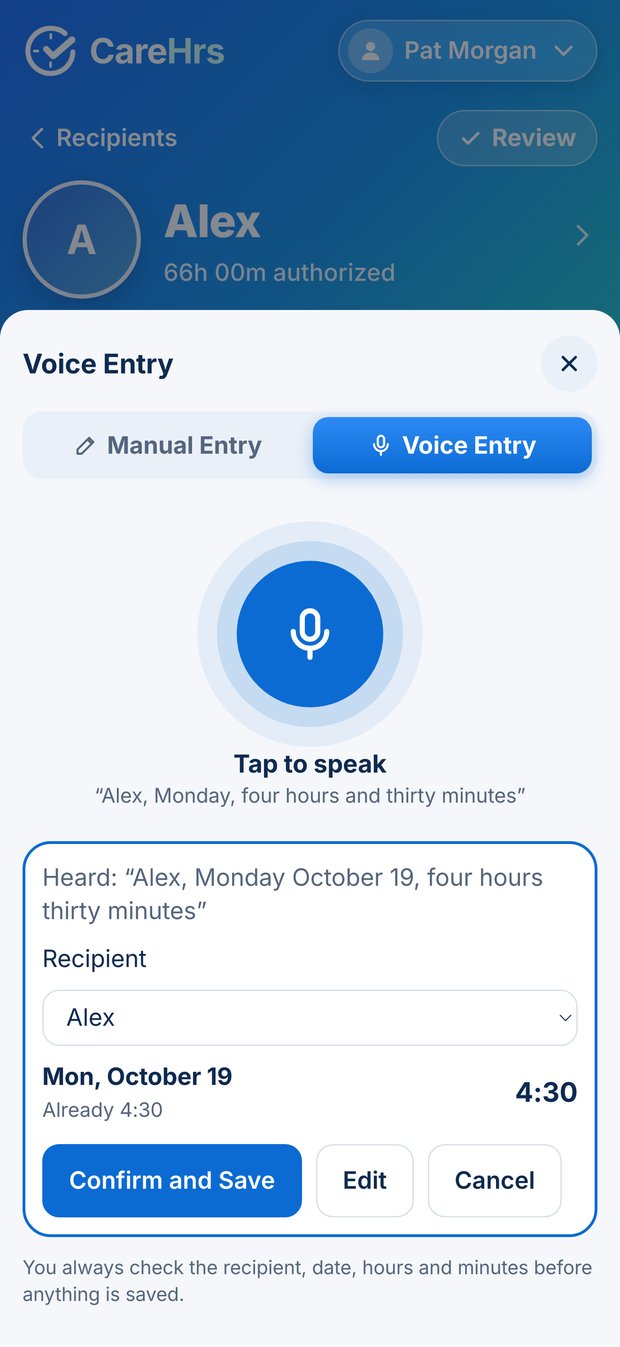
  • Works in English, Spanish and Russian
  • Edit or cancel before saving
Or just say it.

A timesheet for every person.

Each recipient has their own timesheet, split into workweeks and pay periods, with the total worked and the hours remaining.
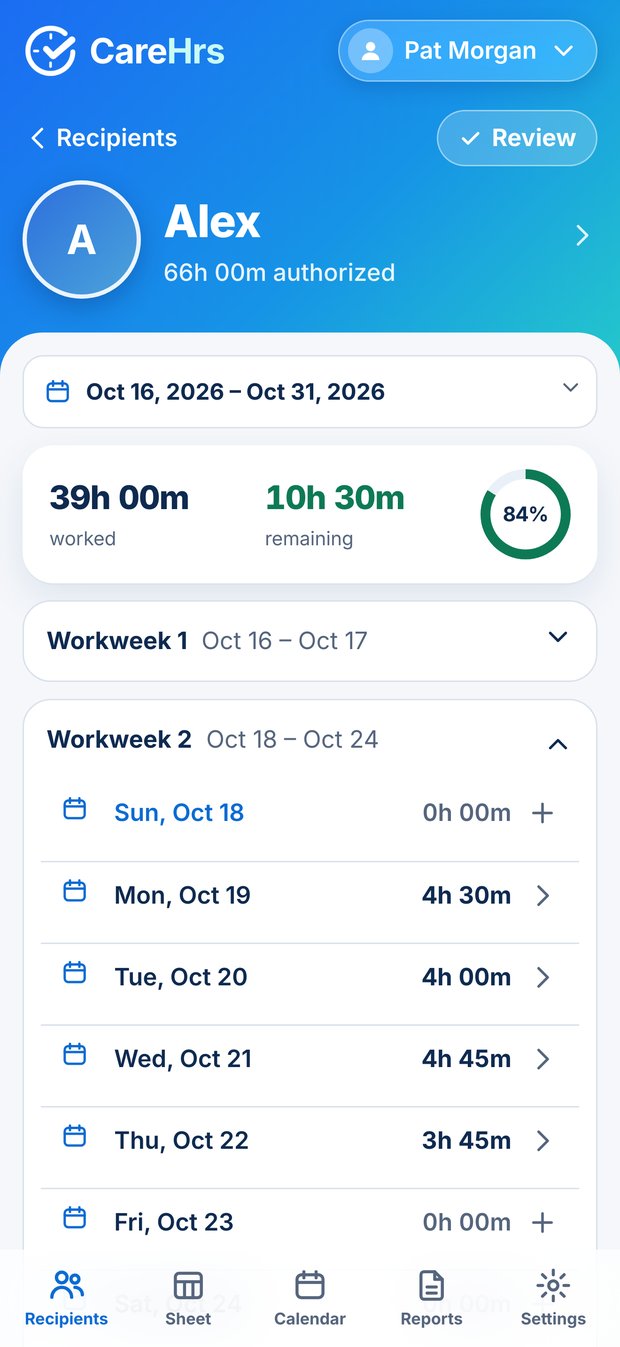
  • 1st–15th and 16th–end kept separate
  • Mark a timesheet reviewed when it’s checked
A timesheet for every person.

Know your allowance.

Type in the monthly hours from your notice. The remaining hours update as you go, and the bar turns red if you go over.
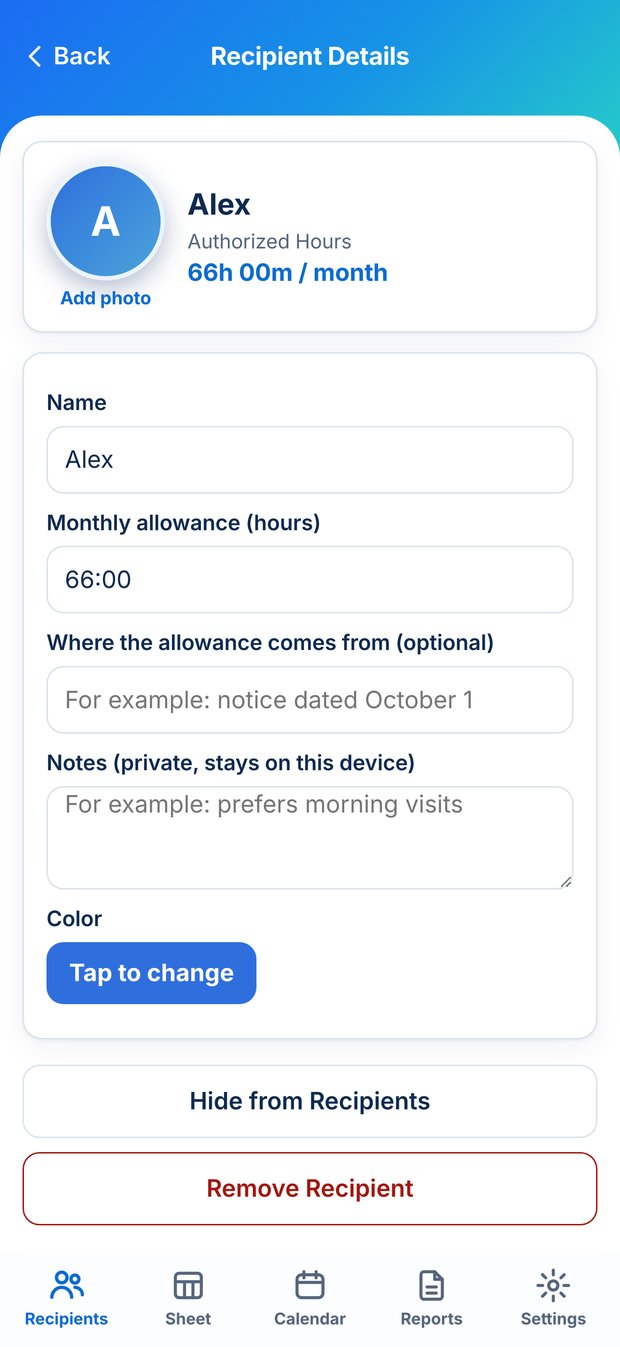
  • A photo and a private note for each person
  • Both stay on your device
Know your allowance.

See the whole month.

Every day at a glance. Tap a day to add or change hours, right where you are looking.
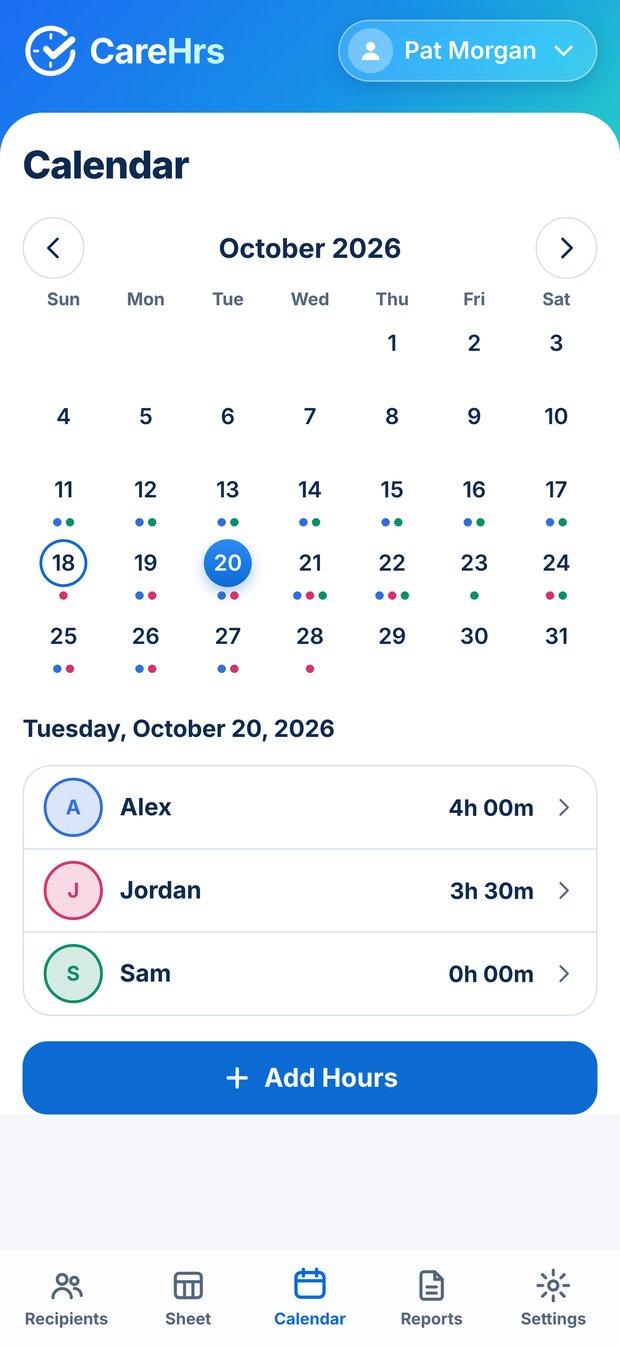
  • Hours show on the days you worked
See the whole month.

Export a clean PDF.

Choose one recipient or everyone, and create a tidy PDF timesheet to save, print or share.
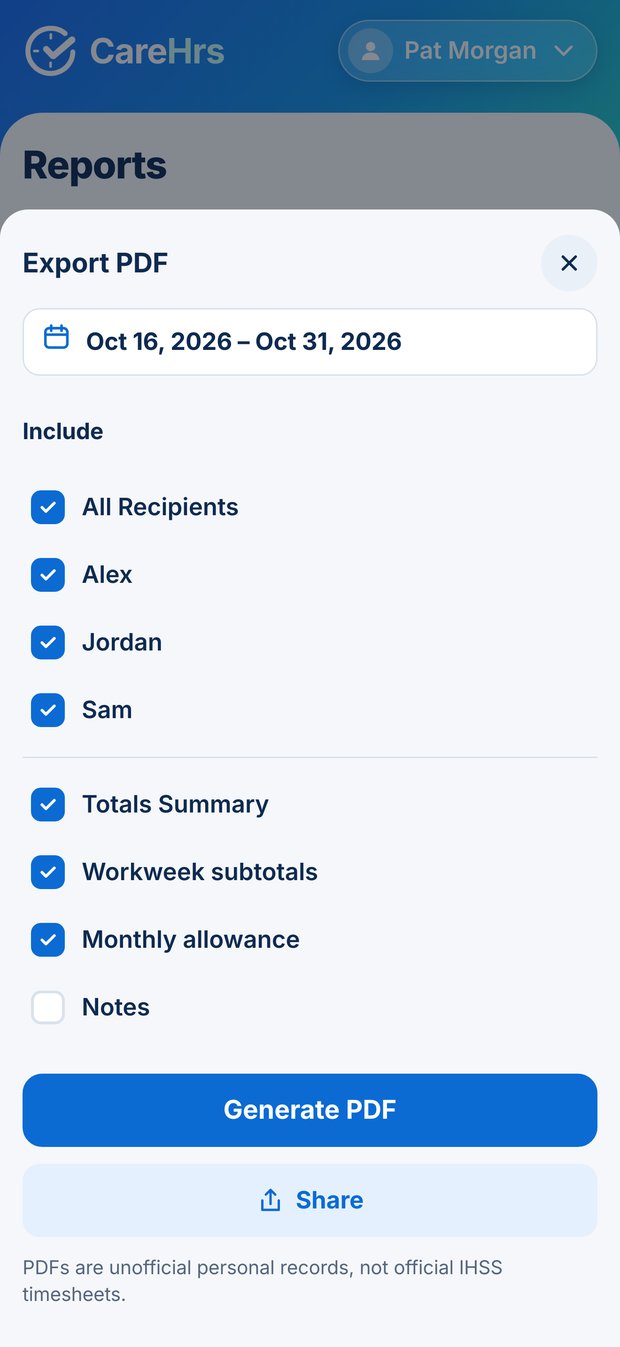
  • Reports show totals for each pay period
  • Your copy, your record
Export a clean PDF.
Add hours your way.Or just say it.A timesheet for every person.Know your allowance.See the whole month.Export a clean PDF.

Two pay periods a month. Both always in view.

Hours are added up for the 1st–15th and the 16th–end, the way pay periods work. Every day counts in whole minutes.

1st–15th54h 45m
Oct 1: 5h 30m1
Oct 2: 4h 45m2
Oct 3: 2h 00m3
Oct 4: 2h 30m4
Oct 5: 5h 00m5
Oct 6: 4h 30m6
Oct 7: 4h 00m7
Oct 8: 5h 30m8
Oct 9: no hours9
Oct 10: 2h 00m10
Oct 11: no hours11
Oct 12: 5h 00m12
Oct 13: 4h 30m13
Oct 14: 4h 00m14
Oct 15: 5h 30m15
16th–end56h 00m
Oct 16: 4h 45m16
Oct 17: 2h 00m17
Oct 18: 2h 30m18
Oct 19: 5h 00m19
Oct 20: 4h 30m20
Oct 21: 4h 00m21
Oct 22: 5h 30m22
Oct 23: no hours23
Oct 24: 2h 00m24
Oct 25: no hours25
Oct 26: 5h 00m26
Oct 27: 4h 30m27
Oct 28: 4h 00m28
Oct 29: 5h 30m29
Oct 30: 4h 45m30
Oct 31: 2h 00m31

Sample month. Hover or tab to a day to see its hours.

Nothing leaves your phone.

No account

Open the app and start. There is nothing to sign up for.

No ads, analytics or tracking

We never see your names or your hours.

Backups you control

Save a backup file to iCloud Drive or Files, and restore it on a new phone.

Read the privacy policy
CareHrs app icon

CareHrs is coming to the App Store.

For iPhone and iPad. Write to us to hear when it launches.

info@carehrs.com

CareHrs is a personal record, not an official timesheet. It is independent and is not affiliated with IHSS, any county or any payroll system. It cannot submit your hours. Enter them in the official system the way your county tells you to.